Top 10 Best Thermal Printer Label Options for Your Business Needs?
Choosing the right thermal printer label can significantly impact your business operations. A quality thermal printer label helps streamline processes. It ensures clarity in shipping, inventory management, and product labeling. Many options are on the market, but not all are suitable for every business.
The demand for reliable labeling solutions is growing. Many businesses rely on thermal printer labels to improve efficiency. Yet, understanding what makes a label printer ideal can be confusing. Features like print speed, durability, and connectivity matter. Businesses need to balance cost with quality and functionality.
This guide explores ten top thermal printer label options. Each choice balances performance, value, and reliability. Finding the best fit is vital for smooth operations. Investing time in selecting the right printer can prevent future headaches. The right thermal printer label can elevate your business game.
Understanding Thermal Printers and Their Applications in Business
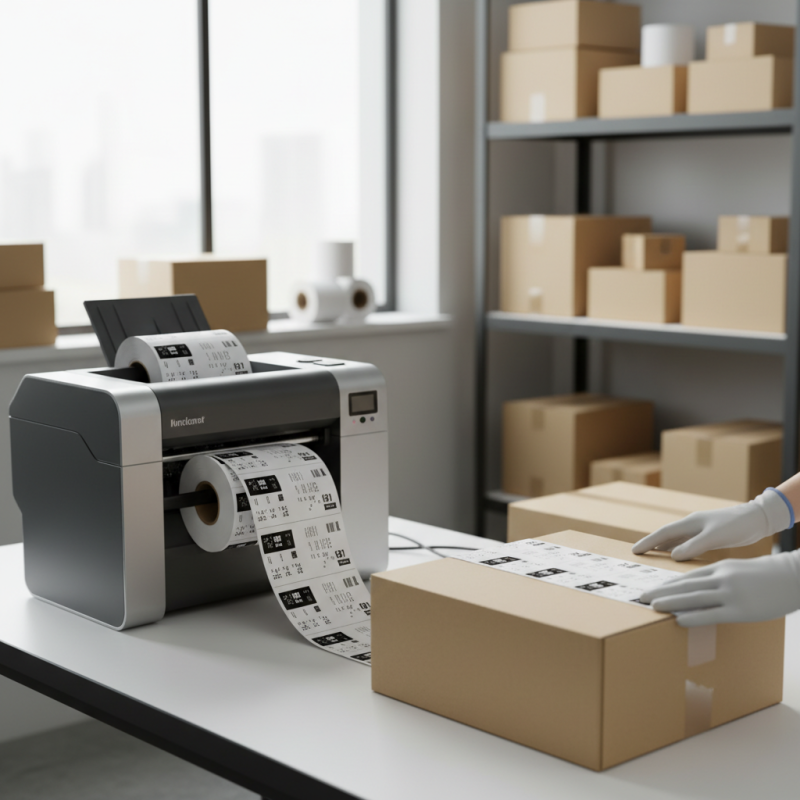
Thermal printers serve various applications across multiple business sectors. These printers utilize heat to transfer ink onto labels, making them efficient and cost-effective. According to a recent industry report, the global thermal printer market is projected to reach $5.37 billion by 2026. This growth highlights the increasing reliance on thermal technology in retail, logistics, and manufacturing.
Efficiency is a key factor for businesses. Thermal printers offer high-speed printing without the need for ink cartridges. Businesses using thermal printers often report up to a 40% reduction in operational costs. Moreover, users find that thermal labels are durable and resistant to water and heat, making them suitable for diverse environments. However, some companies still face challenges in integrating thermal printers into existing systems. Training staff and understanding the technology can be overwhelming.
Specific applications include shipping labels in e-commerce and barcode labels in inventory management. A study indicates that 67% of companies using thermal printers improved their tracking accuracy. Yet, some users overlook important features, such as connectivity options and print resolutions, which can affect productivity. Making informed decisions about these settings can enhance the efficiency of thermal label printing.
Top 10 Best Thermal Printer Label Options for Your Business Needs
Key Features to Consider When Choosing a Thermal Printer
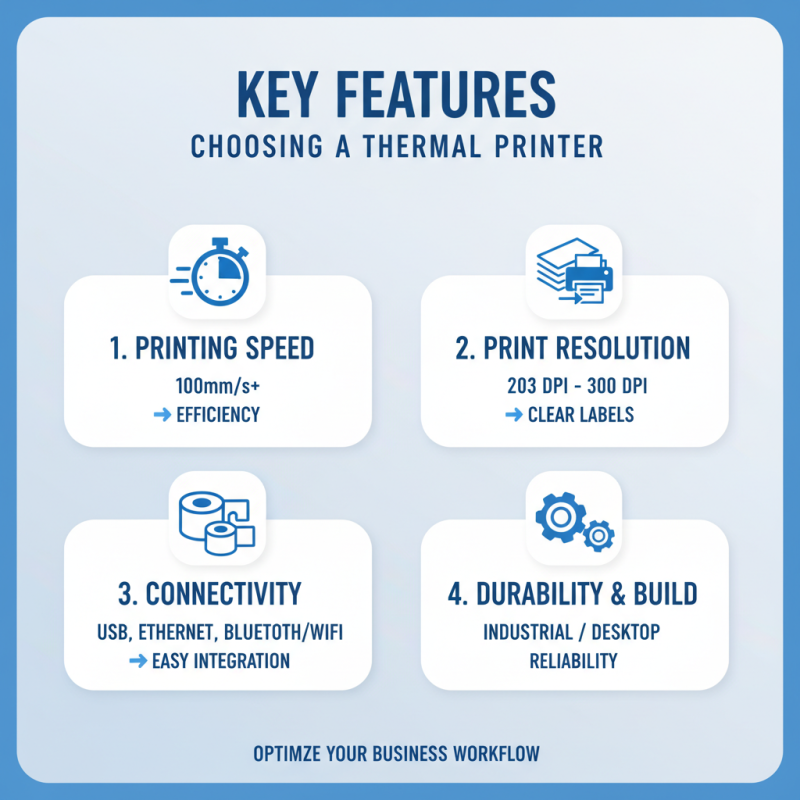
When selecting a thermal printer for your business, key features are essential. First, consider the printing speed. A printer that can produce labels quickly is crucial during peak hours. Businesses focused on efficiency often require printers with a speed of at least 100mm/s. This ensures labels are printed promptly, improving overall workflow.
Connectivity options matter as well. Look for printers that offer USB, Ethernet, and Bluetooth capabilities. This flexibility allows integration with various devices, such as computers and mobile printers. Additionally, examine the print resolution. A higher DPI (dots per inch) guarantees clear and legible labels, which is vital for barcodes or intricate designs.
Durability is another factor. A robust printer can withstand daily use in a bustling environment. However, if a printer repeatedly jams or fails to adhere to labels, it may lead to frustration. Assessing user reviews can help gauge reliability and performance. Customer feedback often highlights common issues and builds a clearer picture of what to expect.
Top 10 Thermal Printer Label Options for Different Business Needs
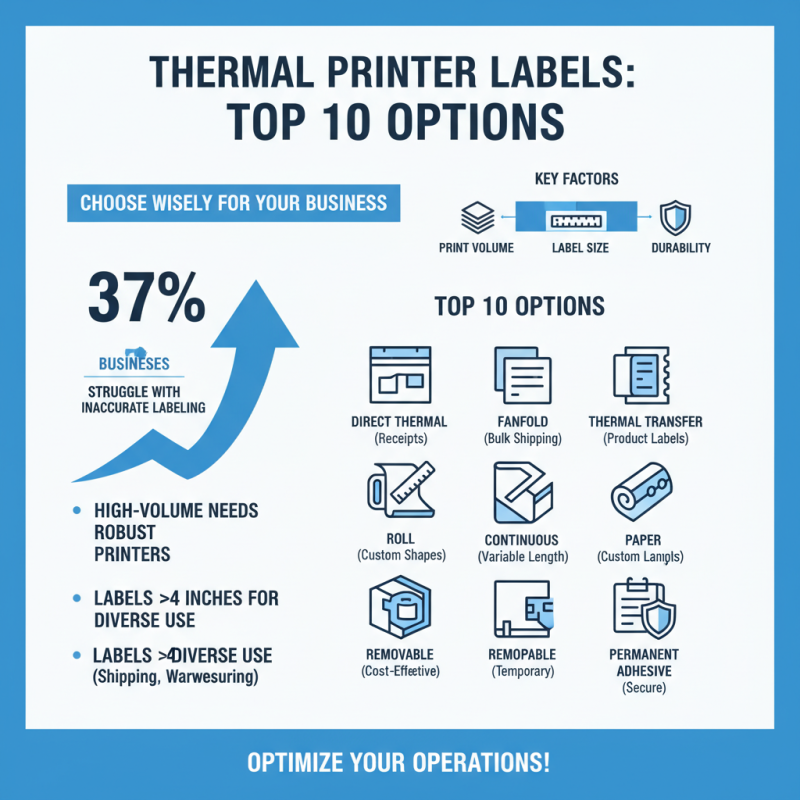
When choosing the right thermal printer label for your business needs, factors such as print volume, label size, and durability matter. Research shows that nearly 37% of businesses face challenges in accurately labeling products due to inefficient printing solutions. For high-volume operations, printers with robust capabilities tend to offer the best performance. Many opt for printers that can handle labels over 4 inches wide, catering to diverse applications from shipping to warehousing.
Durability and print quality are also key considerations. A study by the Association of Supply Chain Management found that 60% of businesses reported label wear and tear as a significant issue, resulting in logistics mishaps. Businesses often need labels that withstand various conditions. Whether it’s the freezer of a grocery store or the humidity of a warehouse, understanding the environment your labels will face is crucial. Additionally, many users have found that investing in features like high-resolution printing enhances readability and minimizes errors.
Moreover, the complexity of integrating a thermal printer within existing workflows should not be overlooked. Many systems struggle to sync properly, leading to inefficiencies. Companies are encouraged to assess their current software and hardware setups before choosing a new thermal printer. Information from industry surveys indicates that around 45% of businesses have unresolved integration issues. Careful consideration of these factors will help in selecting the most suitable thermal printer label solution for diverse business environments.
Comparison of Costs and Performance Among Leading Thermal Printers
When selecting thermal printers, businesses face various challenges.
Cost and performance are two critical factors.
A high-quality printer can streamline operations. However, the upfront investment may seem daunting.
Understanding the balance between price and functionality is vital.
Some affordable options may lack necessary features. They might not handle high volumes efficiently.
It's essential to analyze your specific usage needs. For example, if you print labels frequently, a durable model is crucial.
In contrast, a lower-end printer could suffice for occasional use.
User reviews often highlight reliability as a significant concern.
Another aspect to consider is speed. Fast printers increase productivity.
However, speed can sometimes compromise print quality. Many users find that lower-priced models may struggle under pressure.
Regular maintenance can help, but it adds to the overall cost.
Evaluating total ownership costs is often overlooked.
Businesses should take time to assess their long-term needs before making a decision.
Tips for Maintaining and Optimizing Your Thermal Printer Efficiency
Maintaining your thermal printer is essential for optimal performance. Regularly checking for paper jams can save time. Dust and residue can build up, affecting print quality. Make it a habit to clean the printer head periodically. It ensures clarity and reduces errors in labeling.
Proper paper handling is crucial. Store labels in a cool, dry place to prevent curling or moisture damage. Using the correct type of labels prevents unnecessary wear on the printer. Avoid overusing the printer; it can lead to overheating issues. Schedule downtime to allow it to cool.
Monitor ink levels closely. Replace supplies before they run out to avoid abrupt interruptions. Use the printer settings to adjust for different label types. Fine-tuning these settings improves printing efficiency. Pay attention to unusual noises, which may indicate mechanical issues. Address these problems early for better reliability.


 +86-15362608169